3D print file viewer for Android
See every layer
before you print.
Open STL, OBJ, 3MF and G-code on your phone. Drag through the slice layer by layer, check walls, infill and supports, and catch problems before they cost you a spool.
FreeWorks offlineNo adsNo account
Formats
Opens the files
you already have.
From a model you just downloaded to a project your slicer sent to the printer. Share it from any app, or open it with LayerView.
- STL
STL meshes
Binary and ASCII, from any model site or CAD tool.
- OBJ
OBJ models
Meshes with several parts, ready to inspect.
- 3MF
3MF projects
Objects, parts and their colors in one file.
- GCODE
G-code
From PrusaSlicer, OrcaSlicer, Bambu Studio, Cura and more.
- GCODE.3MF
Sliced Bambu & Orca files
Every plate with its preview, print time and filaments.
- ZIP
ZIP packs
Browse a model pack without unzipping it first.
Read by content, not by name.
LayerView looks inside the file, so a download with the wrong extension still opens as what it really is.
-
model(1).txtBinary STL -
benchy_final.binG-code -
plate_1.3mfSliced 3MF, 2 plates
Features
Check the print,
not just the model.
- 01
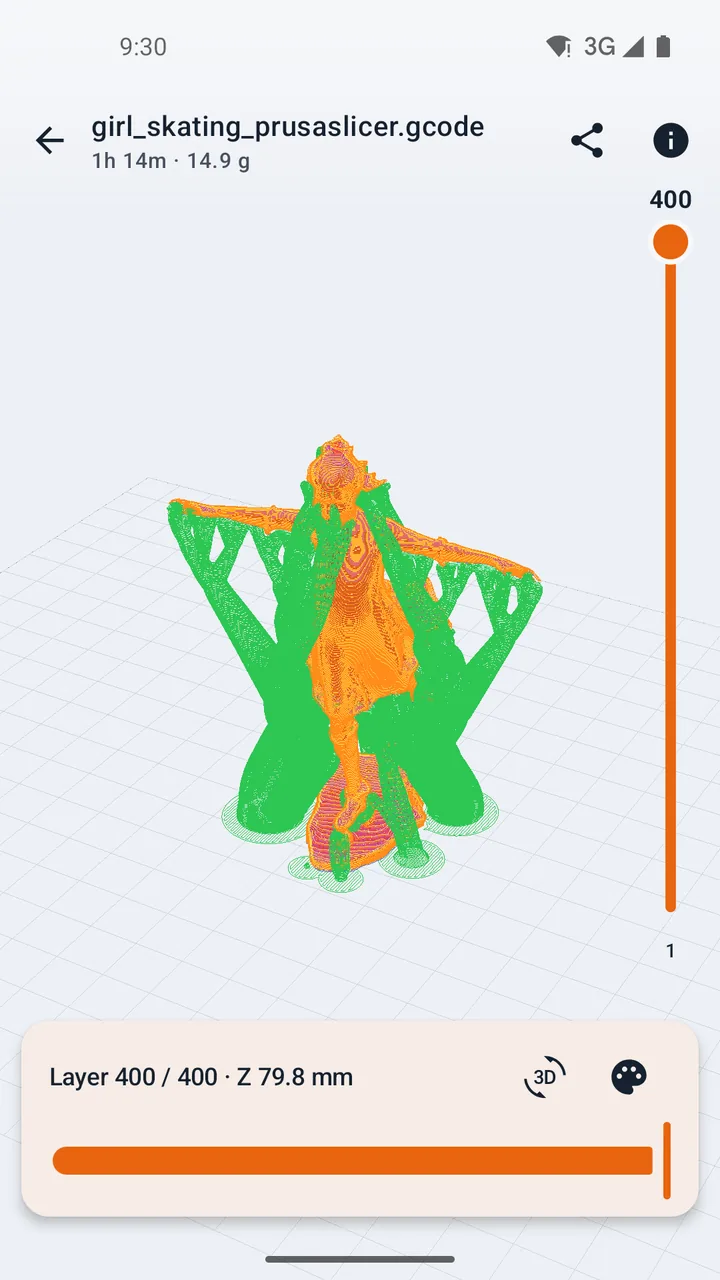
Scrub through every layer.
Drag the layer bar to check walls, infill, supports and bridges. A second slider follows the nozzle inside the layer, move by move.
- 02
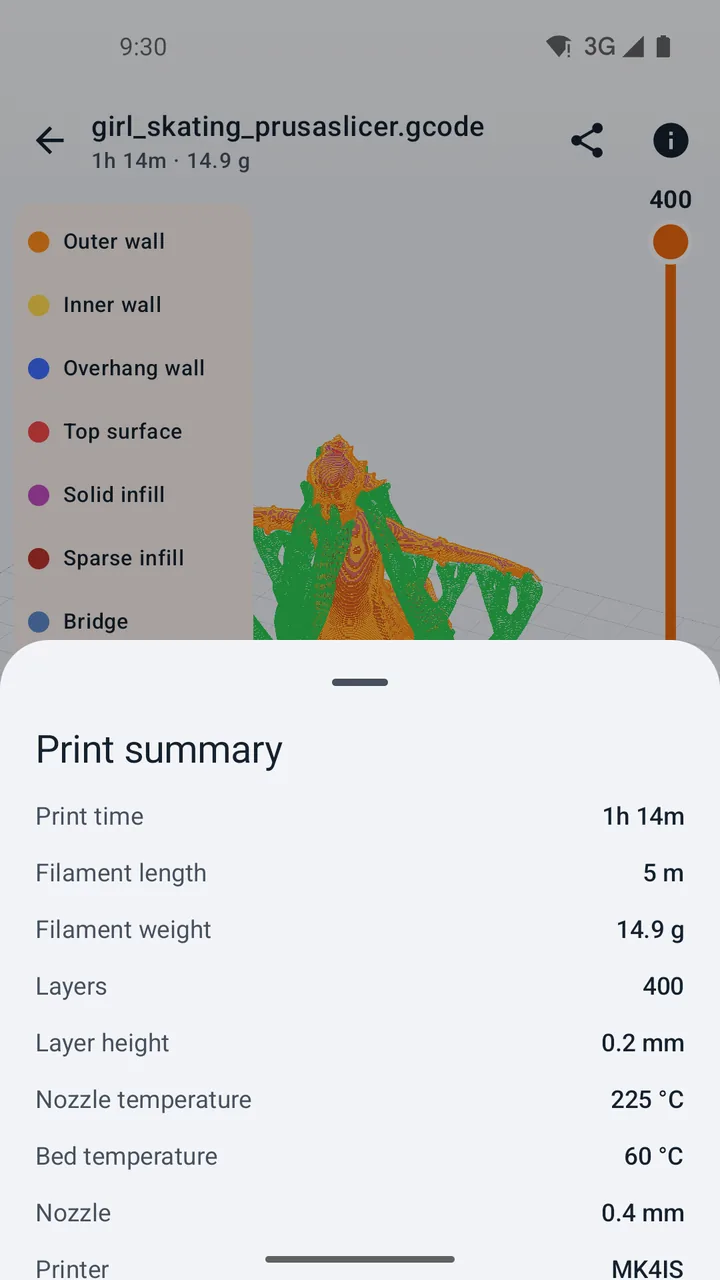
Know the print before it starts.
Print time, filament length and weight, layer height, nozzle and bed temperatures and the printer, read straight from the file. Color the lines by type, filament or speed.
- 03
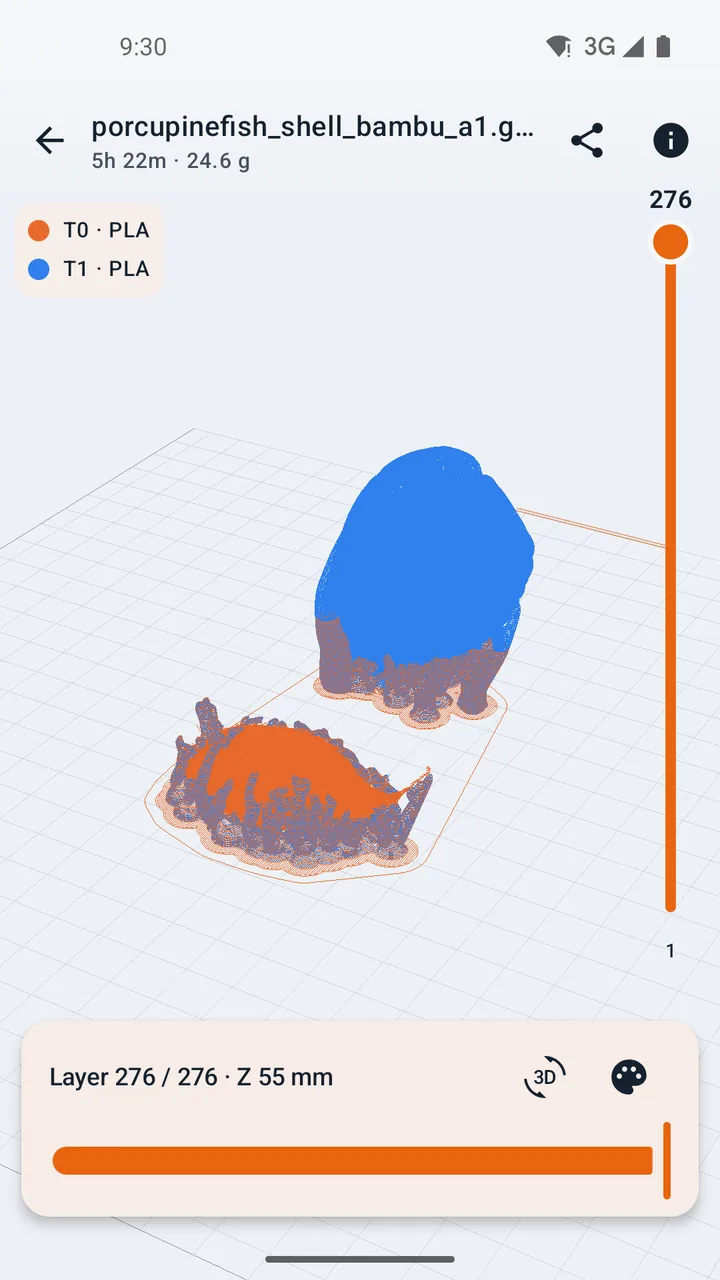
Bambu & Orca projects, plate by plate.
Open sliced .gcode.3mf files from Bambu Studio and OrcaSlicer, see each plate with its preview and print time, and view the model in its filament colors.
- 04
A smooth 3D viewer.
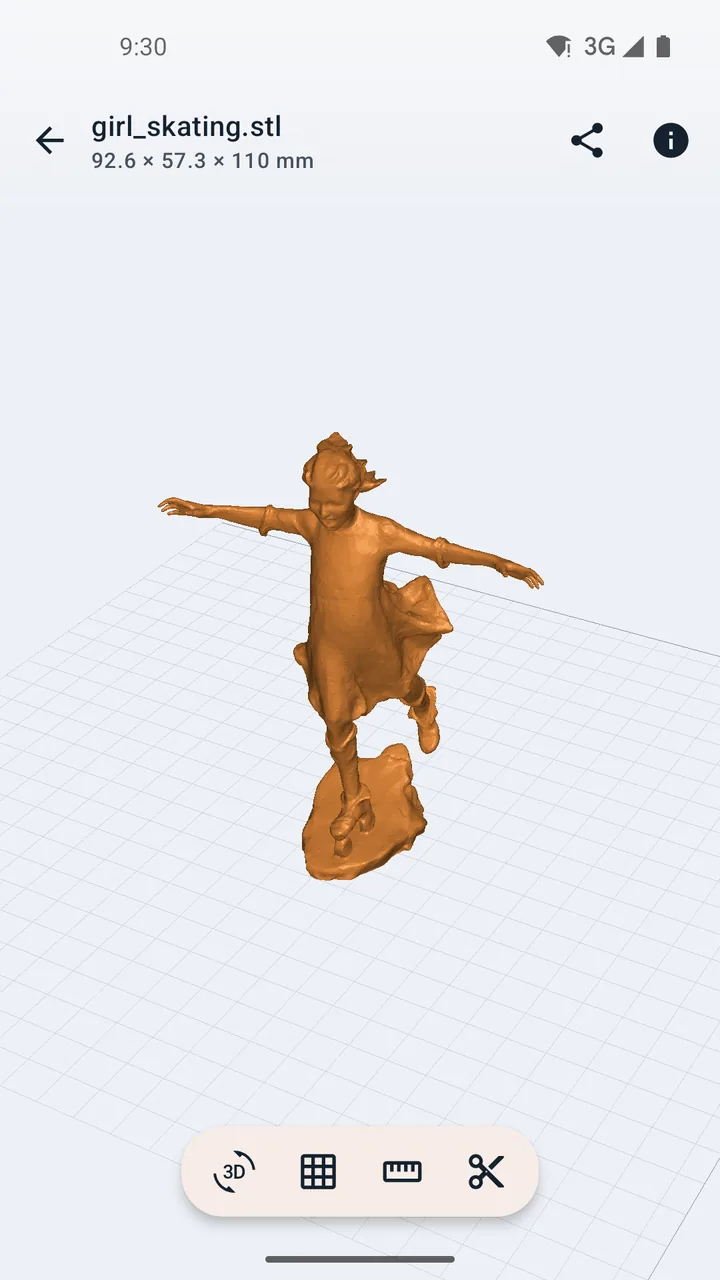
Rotate with one finger, pan and zoom with two, double-tap to frame. Shaded or wireframe, four preset views and the size in millimeters.
- 05
Your prints, with thumbnails.
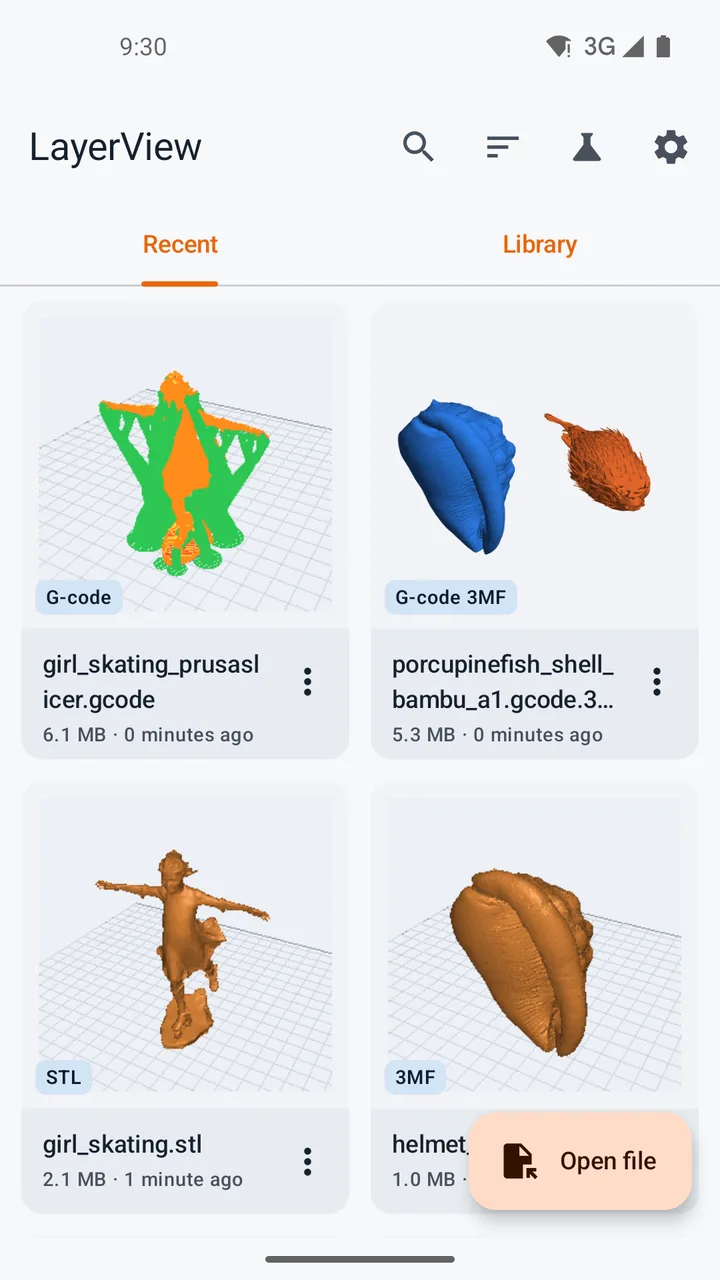
Everything you open lands in Recent with a preview. Send a file from Telegram, Gmail, Drive or any app straight to LayerView, and share a PNG of the current view.
Nothing leaves your phone.
Your models are your work. LayerView opens them on your device and never uploads them anywhere.
- Works fully offline
- No ads, no tracking
- No account to create
LayerView Pro
One purchase.
No subscription.
Viewing stays free. Pro adds the tools you reach for when a print really has to fit.
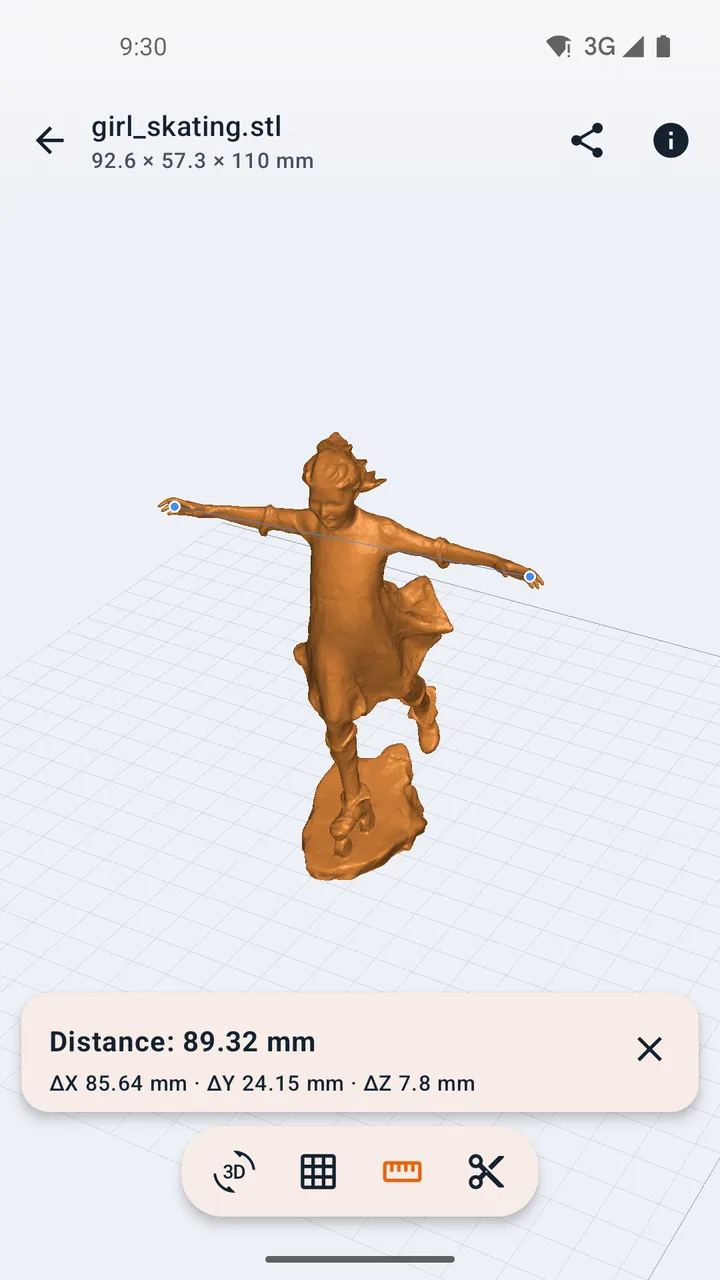
- Point-to-point measuringTap two points for the distance and its X, Y and Z parts.
- Cross-section viewCut the model open to check walls and hollow parts.
- Printer fit checkSee at once whether a model fits your printer's build volume.
- Volume, area and weightEstimate the weight in PLA, PETG, ABS and more.
- Folders and tagsKeep a growing library of models in order.
FAQ
Questions makers ask.
Is LayerView free?
Yes. Opening and viewing every supported file is free, with no ads and no account. LayerView Pro is an optional one-time purchase for measuring, cross-sections, the printer fit check, volume and weight, and library folders and tags.
Which files can it open?
STL (binary and ASCII), OBJ, 3MF, G-code, sliced Bambu Studio and OrcaSlicer .gcode.3mf projects, and ZIP packs that contain them. Binary G-code (.bgcode) is not supported yet.
Does it need an internet connection?
No. Files are opened on your phone and never uploaded. The only network access is Google Play handling the Pro purchase.
Can I open files from chat apps and email?
Yes. Use Share or Open with from Telegram, Gmail, Drive or any file manager. LayerView keeps its own copy, so the file stays in your library after the other app lets go of it.
How large can a file be?
Large STL files and long G-code open with a progress bar and a Cancel button. Very long G-code is simplified for display, and files above about six million moves are refused with a clear message.
Is there an iPhone version?
It is on the way. Until then, LayerView runs on Android 8.0 and newer, on phones and tablets.
Your next print,
one layer at a time.
Free for Android phones and tablets, with iPhone and iPad coming soon. Try it with the sample files built into the app.